 CncCraft
Toolpaths – overview
A toolpath tells the router which shapes to machine and how. CncCraft has six kinds.
On the right of the window, under “Board setup”, are six buttons for new toolpaths. The menu items under Toolpaths do the same.
| Toolpath | What for |
|---|---|
| Profile | Runs along a contour – outside, inside or right on the line. |
| Cut-out | Cuts a part out of the material, with tabs. |
| Clears the area inside a contour down to a depth. | |
| Slot | Mills a slot the width of the cutter along a line – exactly as long as the line. |
| Drilling | Drills into the centre of circles and other contours. |
| V-carving | Carves lettering and drawings with a V-bit; the depth follows the width. |
How a toolpath is made
- Select the vectors to be machined.
- Click the button of the kind you want on the right. A form opens.
- Pick the tool and enter the depths (Tools and cutting values). If a value exceeds what the material allows, a warning appears under the field.
- Click Apply. The toolpath appears in the list and as coloured lines in the drawing.
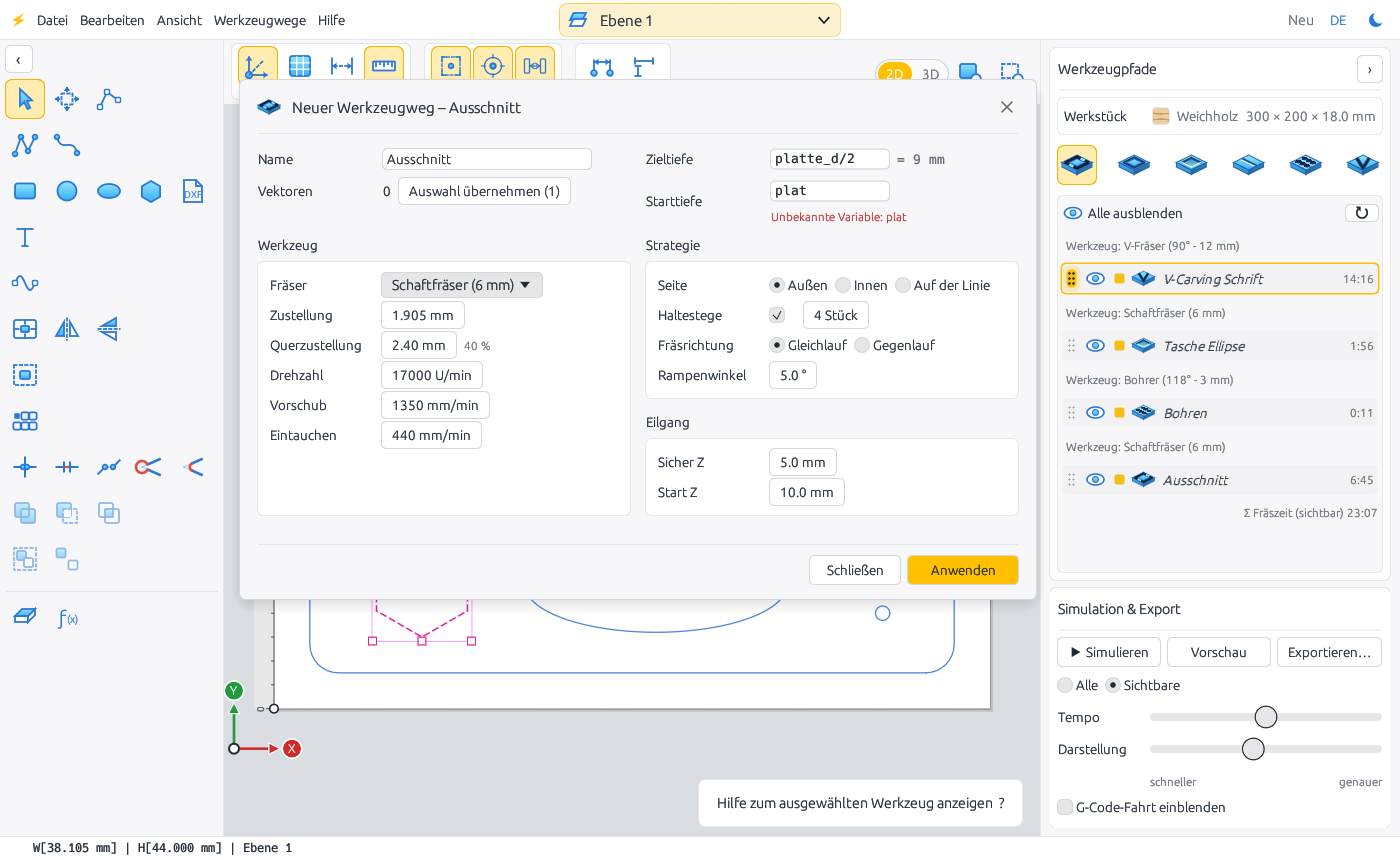
Afterwards you manage the toolpaths in the list, check them in the preview and output them with Save.
Hover over a strategy or cut direction and the tooltip shows a small drawing: where the cutter runs, which way it turns and what is cleared.
Toolpaths remember which shapes they belong to. Change a shape or a variable (Variables) and CncCraft recomputes the toolpaths.