 CncCraft
Layers
Layers group shapes: they can be shown and hidden, locked and coloured.
Top centre, the layer picker shows which layer you are drawing on. A click opens the list of all layers.
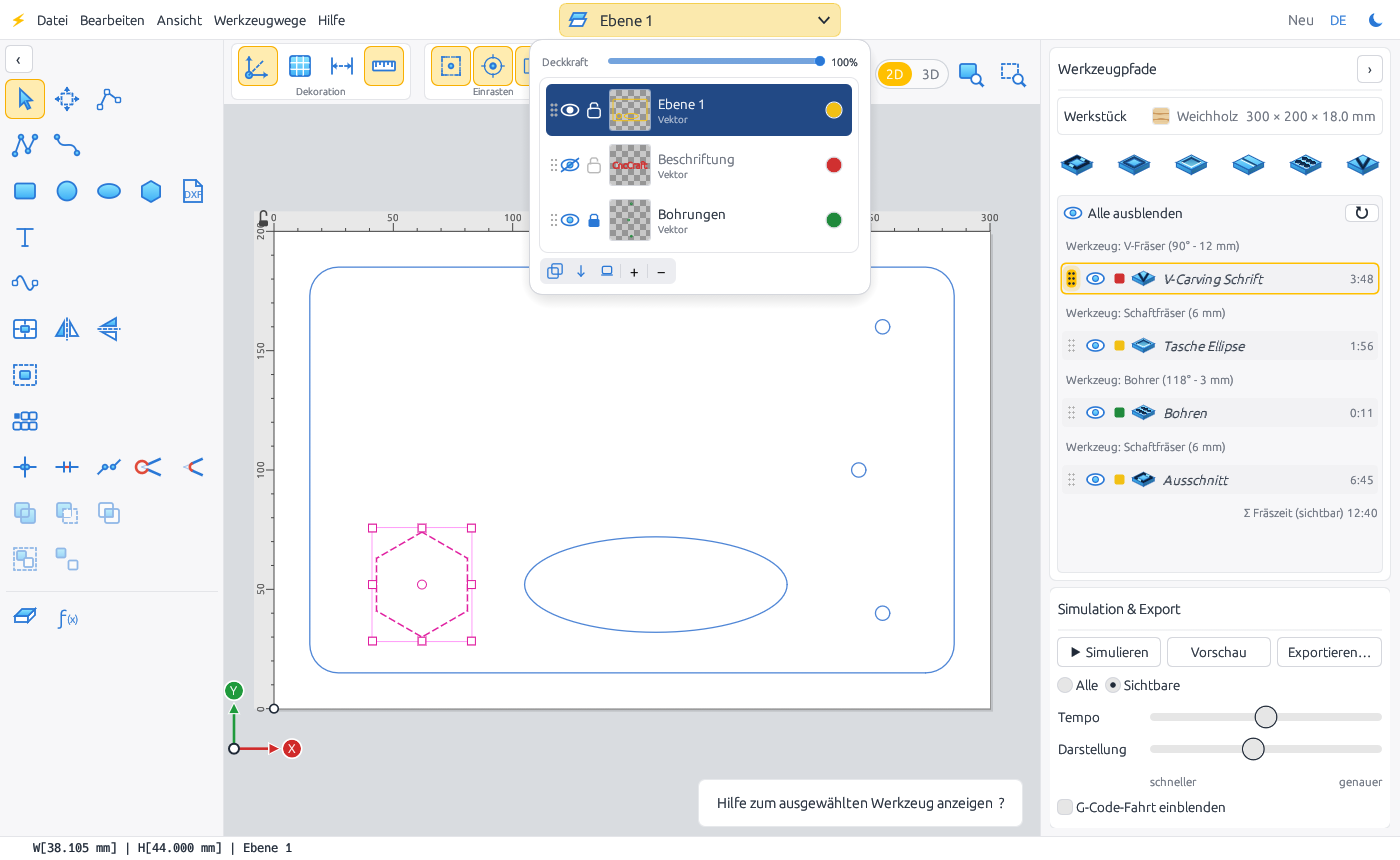
| Element | Meaning |
|---|---|
| Eye | Visible / hidden. Hidden shapes are not shown, not milled and not exported. |
| Lock | Locked / unlocked. Locked shapes stay visible but cannot be clicked or changed. |
| Name | A click makes the layer active – new shapes are created on it. Double-click renames it. |
| Colour dot | The layer's colour; a click changes it. |
At the bottom of the list
- + adds a new layer (Add a new layer), − deletes the active layer (Delete a layer).
- Selection to here moves the selected shapes onto the active layer.
A drawing always has at least one layer; the last one cannot be deleted.