 CncCraft
Variables New in CncCraft
Variables are named numbers or formulas you can use in every dimension field.
The f(x) button next to “Set up job” in the toolbar opens the variables dialog.
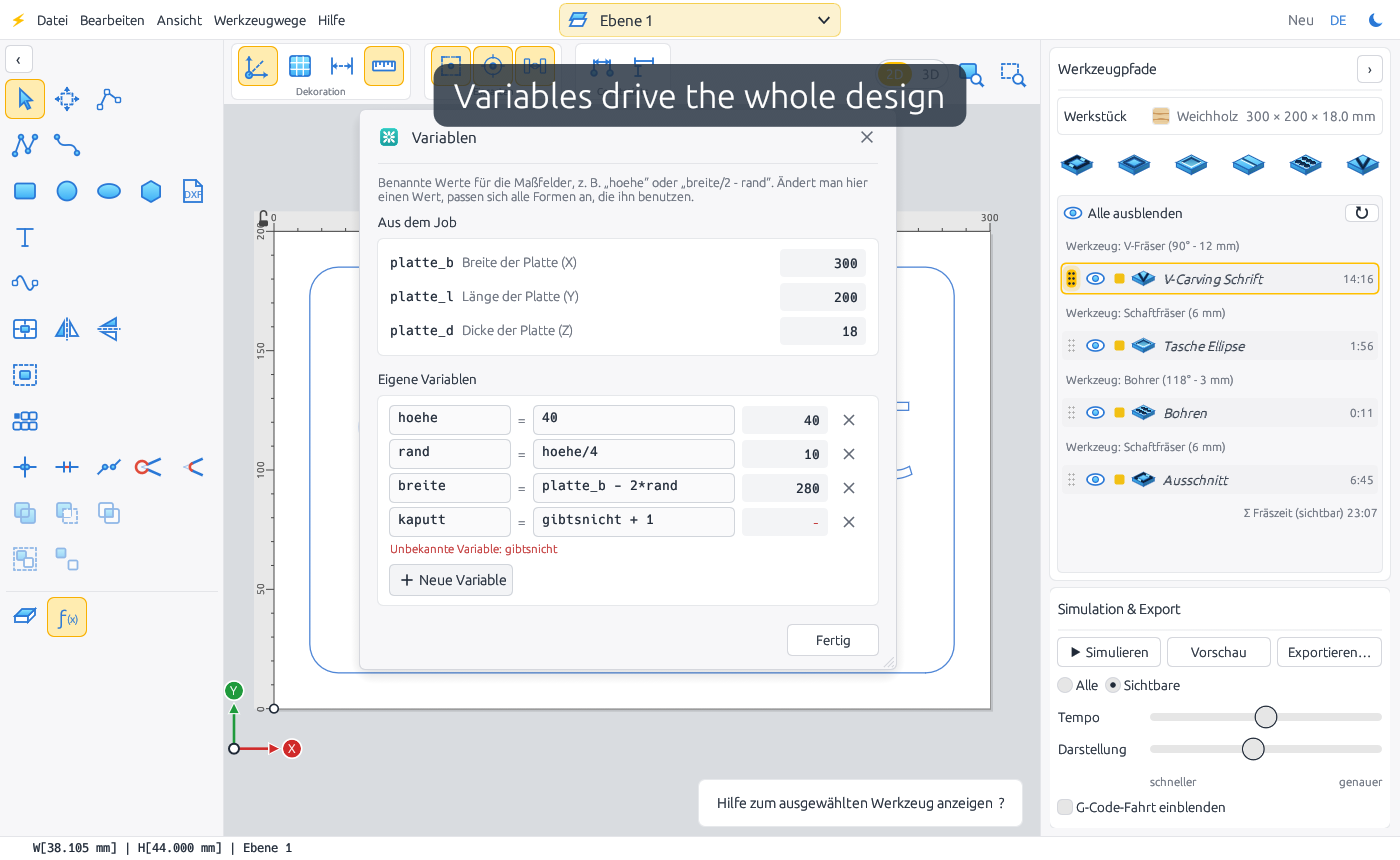
Your own variables
With New variable you add a row. Every variable has:
| Column | Meaning |
|---|---|
| Name | The name you use the variable by. It must not be empty, must not start with an underscore and must not occur twice. |
| Expression | A number or formula, also using other variables (breite/2 - rand). |
| Value | The computed result – or the error message if the formula does not work out. |
| Comment | A note for yourself. |
Change an expression and all dependent variables, shapes and toolpaths recompute. Variables may refer to other variables; a circular reference (a = b + 1, b = a) is reported as an error instead of looping forever. If a formula uses a name that does not exist, CncCraft reports “Unknown variable”.
From the job
The job always provides three values:
| Name | Meaning |
|---|---|
platte_b | Board width (X) |
platte_l | Board length (Y) |
platte_d | Board thickness (Z) |
These names are taken; your own variables must not use them.
Using variables
Type the name into a dimension field, a constraint or a depth in a toolpath. As you type, a suggestion list of matching variables and their value appears under the field (↑ ↓ to choose, Tab or Enter to accept). More under Formulas in dimension fields.
Names with spaces or special characters go in curly braces: {Rand links}.