 CncCraft
Slot toolpath New in CncCraft
The slot mills a channel along a vector, as wide as the cutter.
The slot toolpath does not exist in the Spark template.
Select one or more vectors – open or closed – and click Slot. The slot is exactly as wide as the cutter; so there is no stepover.
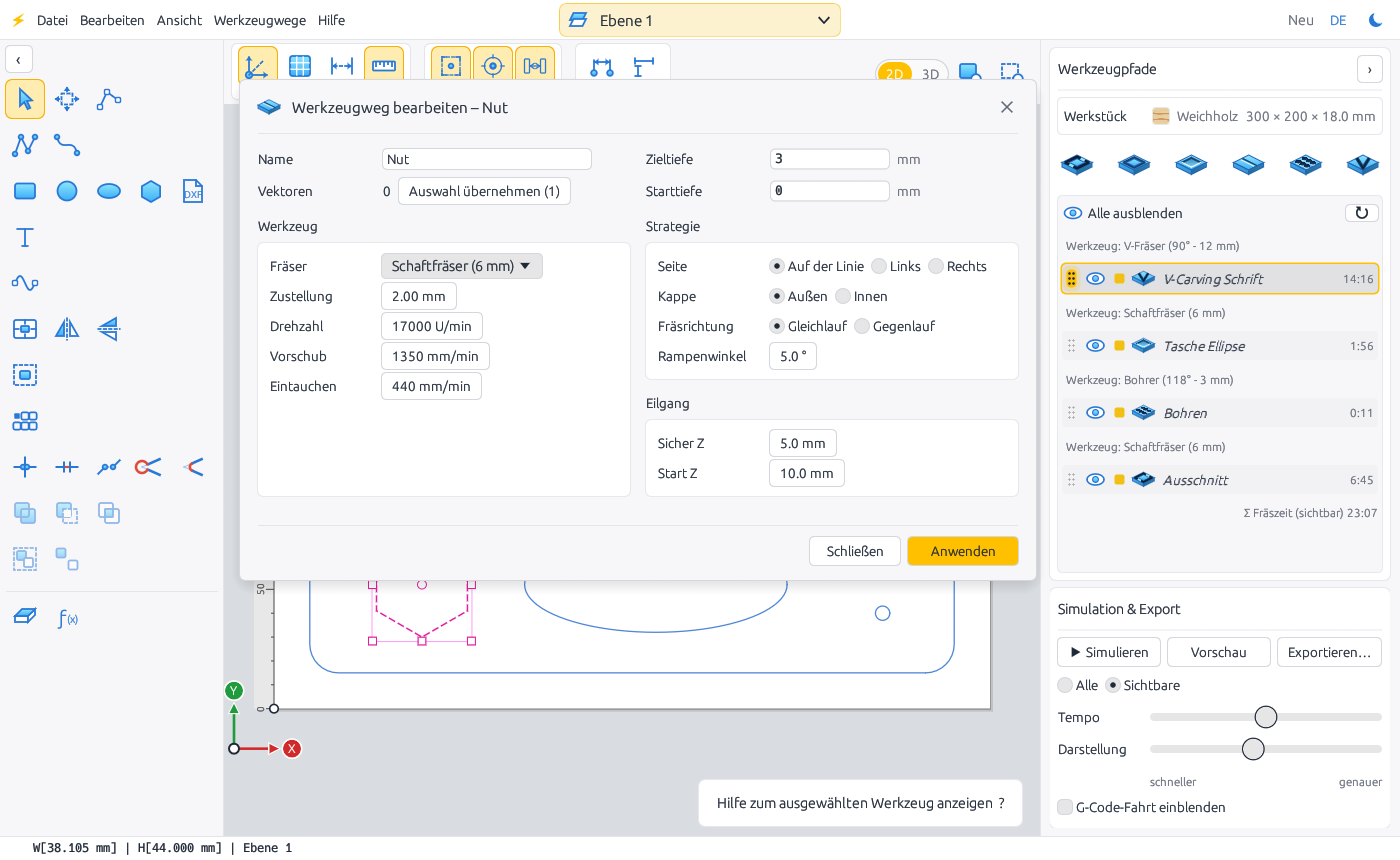
| Setting | Meaning |
|---|---|
| Side | On the line: the centre of the slot lies on the vector. Left / Right: the slot lies beside the vector, one edge on the line. |
| Cap | For open lines: Outer – the cutter runs past the end point, the slot becomes longer than the vector by the cutter radius. Inner – the cutter stops half a diameter before the end point, the slot is exactly as long as the vector. |
| Cut direction | Climb or conventional. |
| Ramp angle | The cutter plunges at an angle instead of straight down; 0° = straight. |
In the form, hover over an option: a picture in the tooltip shows what it does – for example where the cutter stops with Inner and Outer, or how the turning and feed relate with climb and conventional.