 CncCraft
The toolpath list New in CncCraft
The list shows all toolpaths with colour, kind, name and estimated milling time.
Below the buttons for new toolpaths is the list.
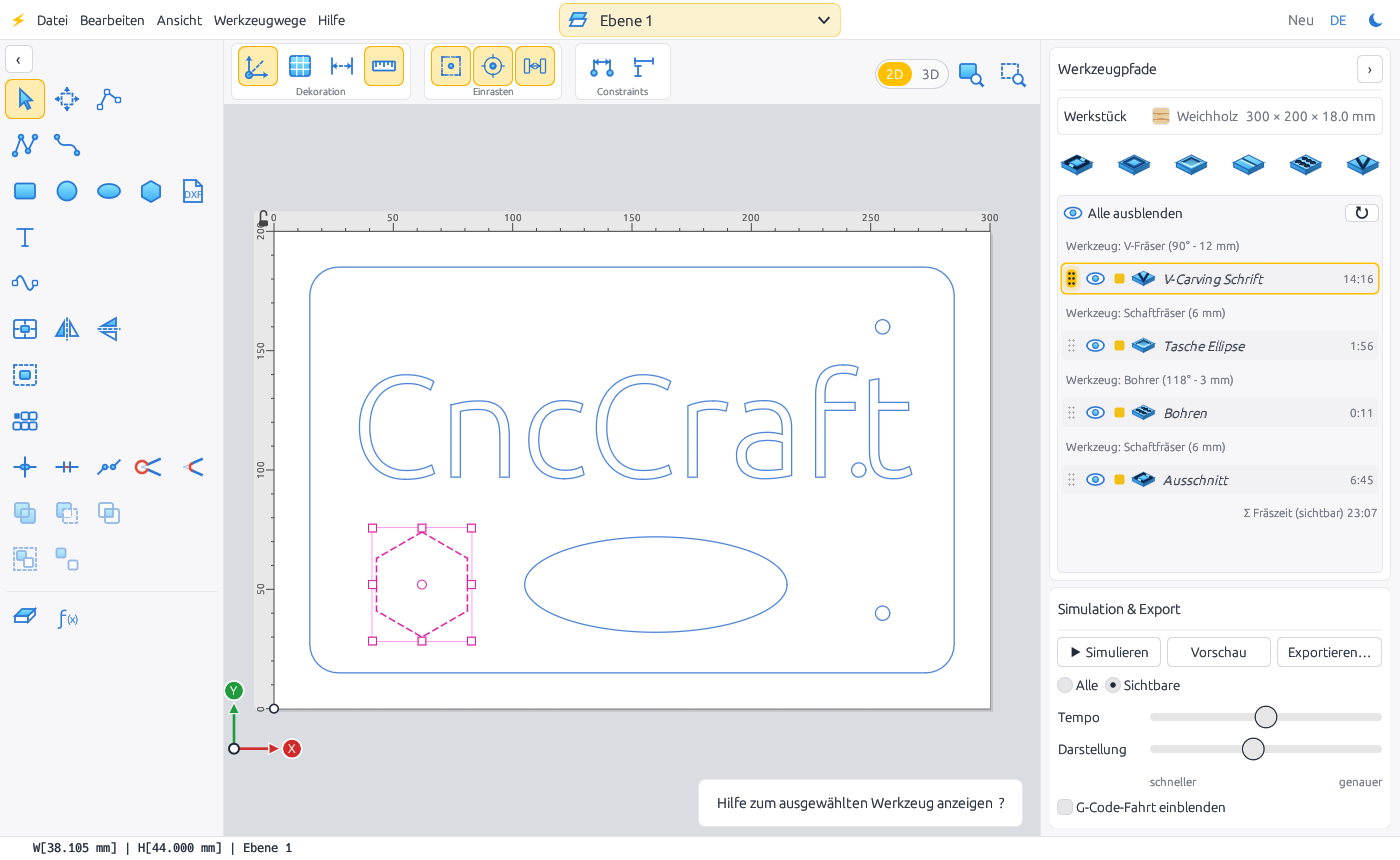
| Element | Meaning |
|---|---|
| Handle on the left (⠿) | Dragging changes the order – that is how the file is written later too. |
| Eye | Shows or hides the toolpath in the drawing, preview and output. |
| Colour square and symbol | The kind of toolpath and its colour in the drawing – the colour of its shapes' layer. Give the layer another colour and the entry and the cutter paths follow. |
| Name | A click selects the toolpath: its shapes are selected in the drawing, and it becomes the “selected” one for preview and export. Double-click opens the form to change it. |
| Time | The estimated milling time in minutes and seconds. |
- Hide all / Show all switches all toolpaths at once.
- Tool entries: above the first toolpath and wherever a different tool begins, a small entry “Tool: …” appears – from there this cutter mills until a new entry comes. If two toolpaths in a row use the same tool, the entry appears only above the first.
- The ↻ button recomputes all toolpaths.
- Hover over a row and small buttons appear on the right: ✎ edit, 🗑 delete and ⏶ and ⏷ to move up and down.
- Below the list is the total milling time of the visible toolpaths.
- Hover over an entry and a tooltip names the kind, start and cut depth and the time.
If a toolpath cannot be computed – for example because the tool is too large for the shape – the list shows a warning triangle with the reason.