 CncCraft
Saving and opening files New in CncCraft
Projects are saved as <code>.cnccraft</code> files and hold the drawing, layers, variables, constraints and toolpaths.
| Command | Effect |
|---|---|
| File ▸ New … | Begins a new job (Create and set up a new job). |
| File ▸ Open … | Loads a project (.cnccraft). |
| File ▸ Open recent | The projects opened and saved most recently, newest at the top – as in word processors. Clear list at the end tidies them up. Until something has been opened, the entry is grey. |
| File ▸ Open example | Loads the included example. |
| File ▸ Save / Save as … | Writes the project to a file. |
| File ▸ Save toolpaths … | Writes the machine file (G-code), see Saving toolpaths. |
Unsaved changes
If the drawing has changes that are not saved yet, a dot (●) appears after the file name at the top right. If you then want to close the program, begin a new job, or open another file or the example, CncCraft first asks “Do you want to save the changes …?”:
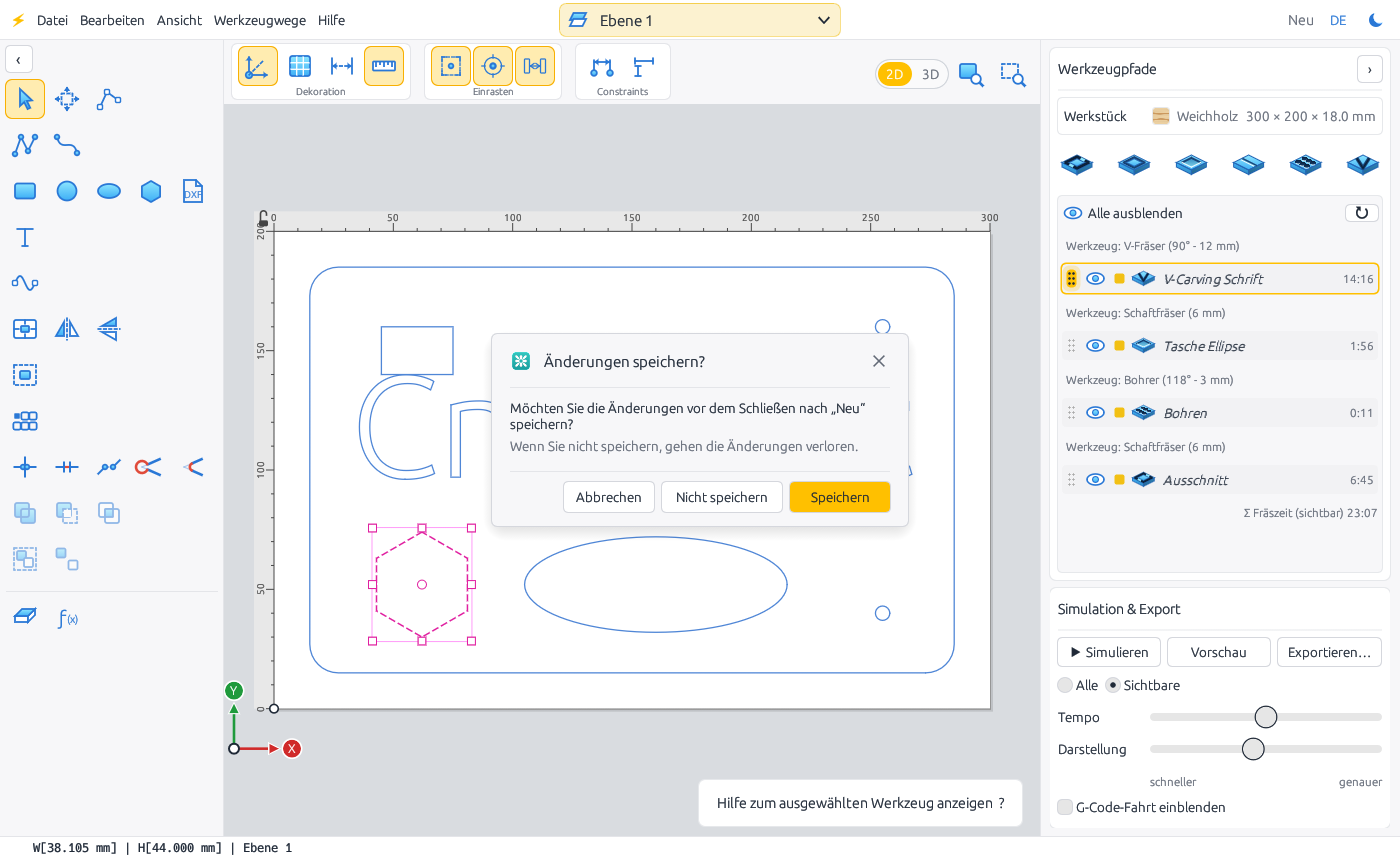
- Save: saves (for a new file CncCraft asks for the name) and then continues. Cancel the save and the question stays open.
- Don't save: continues without saving; the changes are lost.
- Cancel (or Esc): nothing happens, you keep working.
The construction lines are saved with the project too, with their formulas, attached shapes and lock. The project is a text file in JSON format; older files with the earlier extension .funke can still be opened.