 CncCraft
Materials and limits New in CncCraft
Every workpiece is made of a material. It knows its limits, recommends cutters and cooling and sets the look in 3D.
The Spark template knows materials only as names in the tool database. In CncCraft every material has limits and recommendations, and CncCraft warns when a toolpath exceeds them – for beginners the most important help against broken cutters.
Choosing a material
When you create a new job, the material is mandatory: only once one is chosen can the job be created (Create and set up a new job). CncCraft suggests the one used last. Under the picker the Recommendations area unfolds the description, cutting values, suitable cutters and cooling.
Shipped are softwood, hardwood, plywood, MDF, acrylic, HDPE/plastic, rigid foam, aluminium, brass and copper.
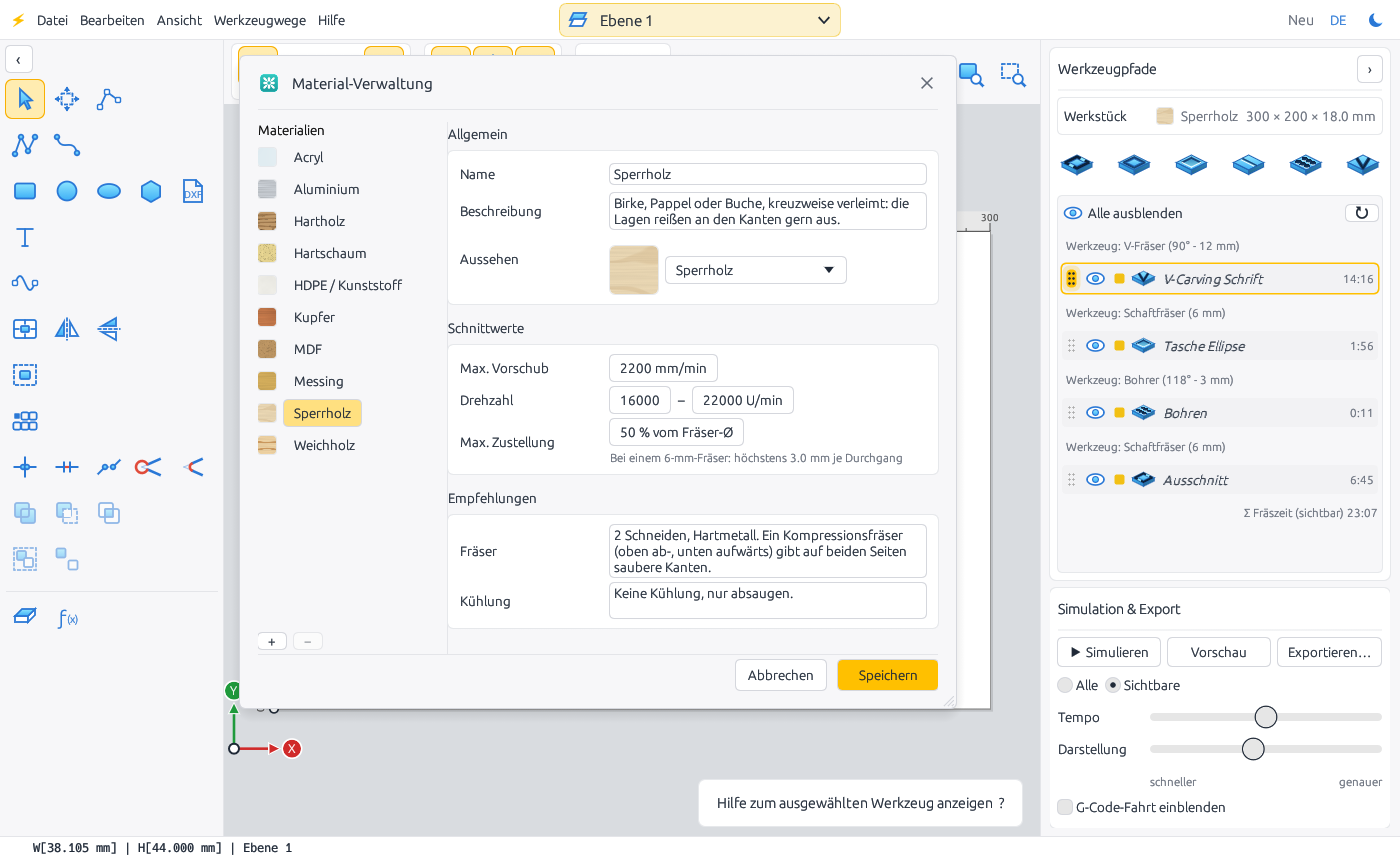
What a material knows
| Value | Meaning |
|---|---|
| Max. feed | The cutter should not move through the material faster (mm/min). |
| Speed | The recommended spindle range (rpm). |
| Max. stepdown | How deep per pass at most, as a fraction of the cutter diameter. A rule of thumb for wood: at most two thirds of the diameter. |
| Cutter | Which cutters suit: number of flutes, material, spiral direction. |
| Cooling | Whether and with what to cool – for example isopropanol for aluminium. |
| Look | How the workpiece looks in the 3D preview. |
Warnings
- In the toolpath form a note appears right under stepdown, feed, plunge or speed when the value is outside the recommendation – for example 6 mm stepdown with a 5 mm cutter in hardwood.
- In the header of the G-code file there is a section “WARNING: TOO FAST OR TOO DEEP FOR THE MATERIAL” with every affected toolpath (Saving toolpaths). Slower and shallower than recommended is never a problem and is not reported.
Look in the 3D preview
The preview shows the workpiece in the look of its material: grain for wood, the layers at a plywood edge, brushed and shiny metal.
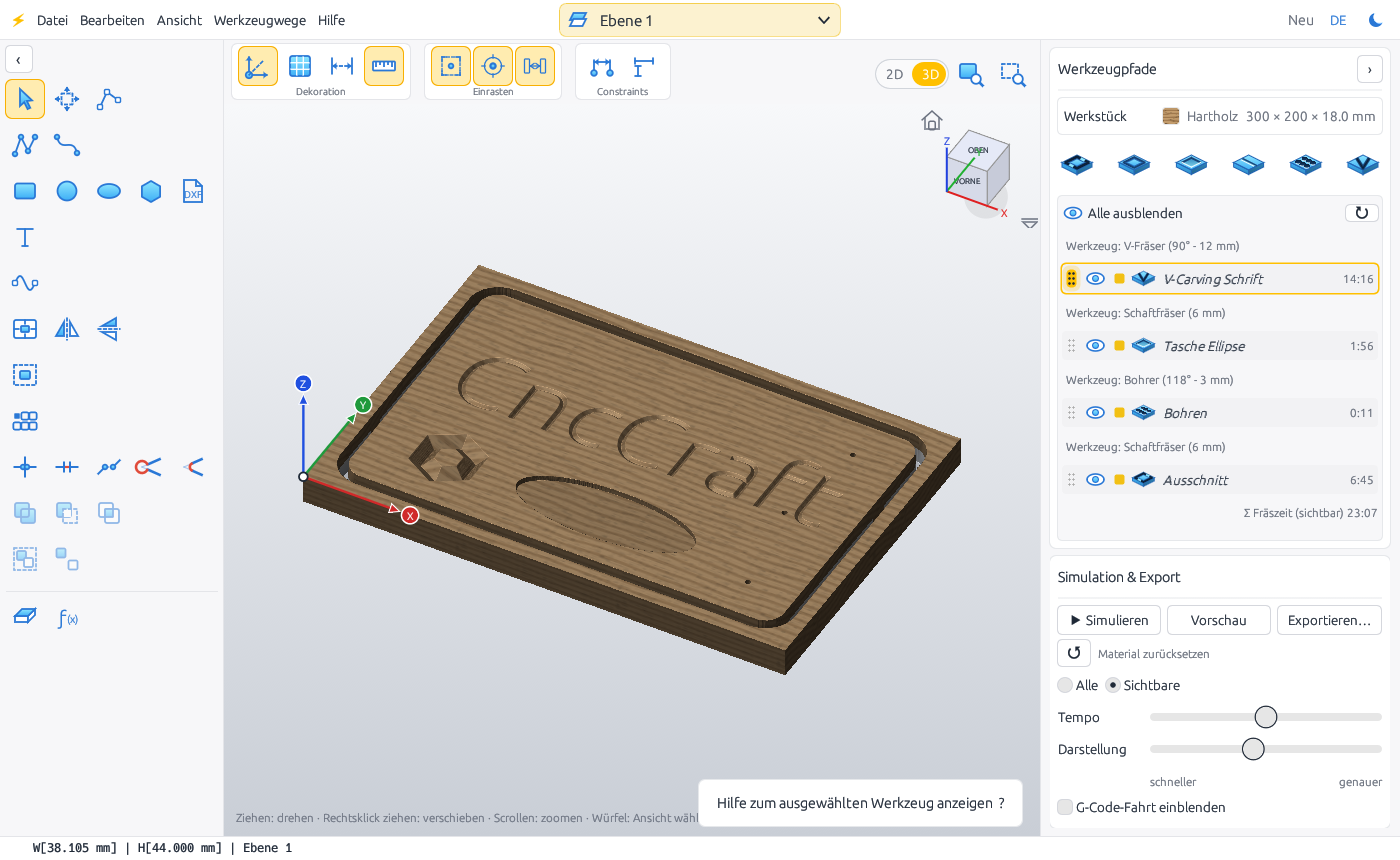
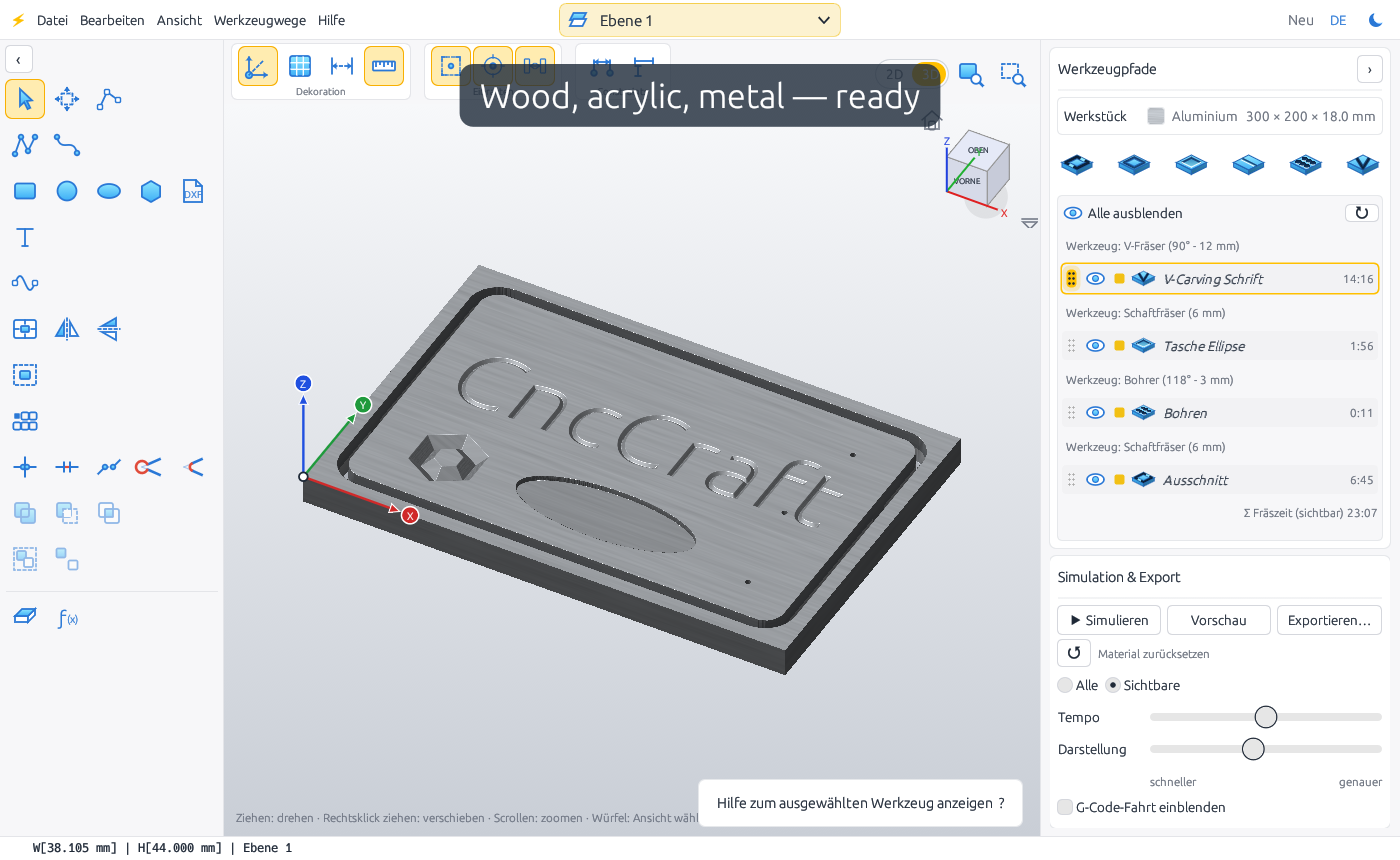
Your own materials
Manage … at the end of the material picker opens material management. With + you make a copy of the chosen material – with its tools, trimmed to the new material's limits. Name, description, limits, recommendations and look are editable. Shipped materials and the current job's material cannot be deleted.
The limits are cautious starting values for hobby routers. Your machine and your cutters may do more or less – mill a test in scrap material first.