 CncCraft
Parametric design – overview New in CncCraft
Parametric CAD for beginners: dimensions need not be fixed – you name, compute and connect them, and the drawing follows.
The original Spark has neither variables nor constraints. In CncCraft a changed variable changes the drawing – all the way to the G-code, because the toolpaths recompute too.
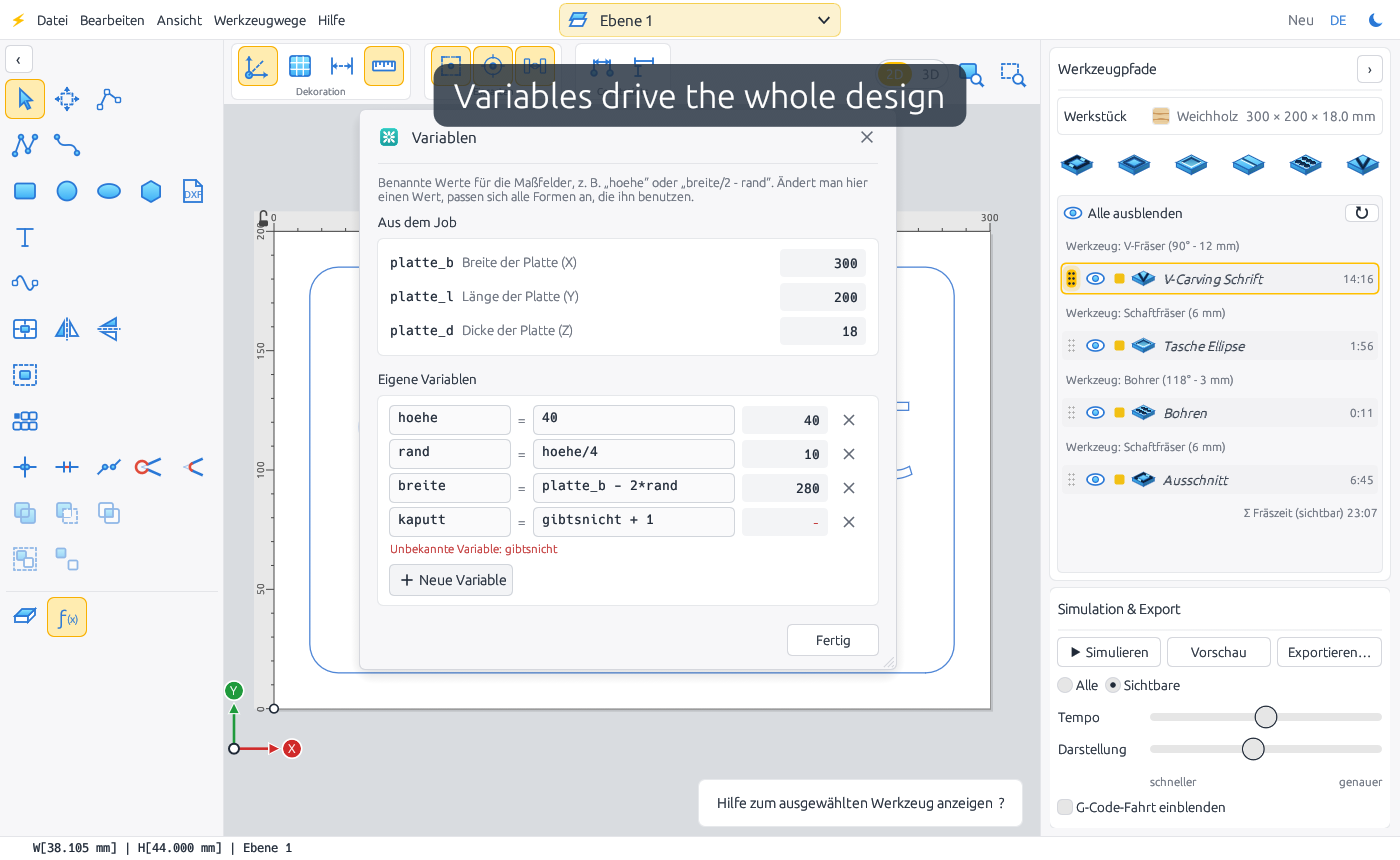
Working parametrically means you record what a dimension should mean (“10 mm from the edge”, “half the board's width”) instead of just drawing it once. Change a value later and CncCraft recomputes everything. There are five building blocks that combine freely – none needs prior knowledge from professional CAD programs:
| Building block | What for |
|---|---|
| Variables | Named values used in formulas, for example rand = 12. |
| Formulas in dimension fields | Every dimension field and depth does maths: platte_b - 2*rand. |
| Dimension distances | The distance between two points, a point and a line, or to the board edge stays as it is. |
| Level/upright | A line stays level or upright. |
| Construction lines | Lines from the ruler that shapes snap to and hang on: move the line – or change its formula – and the shapes move along. |
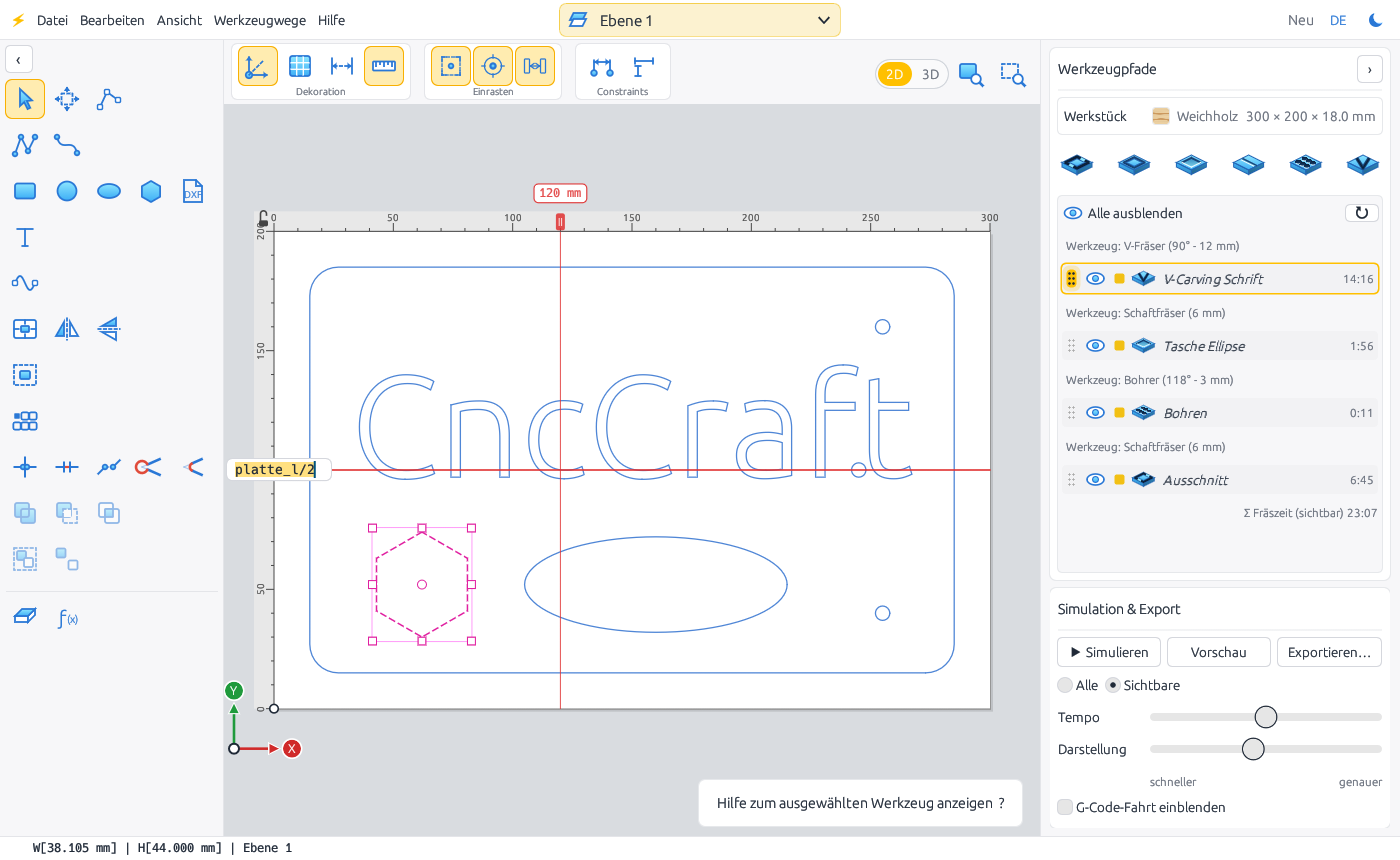
An example: you draw a sign and set rand. The outline gets the width platte_b - 2*rand and the height platte_l - 2*rand. Change the board size in the job later, or the value of rand, and the outline adapts, and the toolpaths follow.
Limits
- CncCraft solves the constraints directly, without a general equation system: a shape that holds a constraint springs back when dragged.
- Moving with the mouse, node editing and boolean operations create new geometry without bindings; the status line and the behaviour point this out.
- Every step can be undone – trying things out costs nothing.