 CncCraft
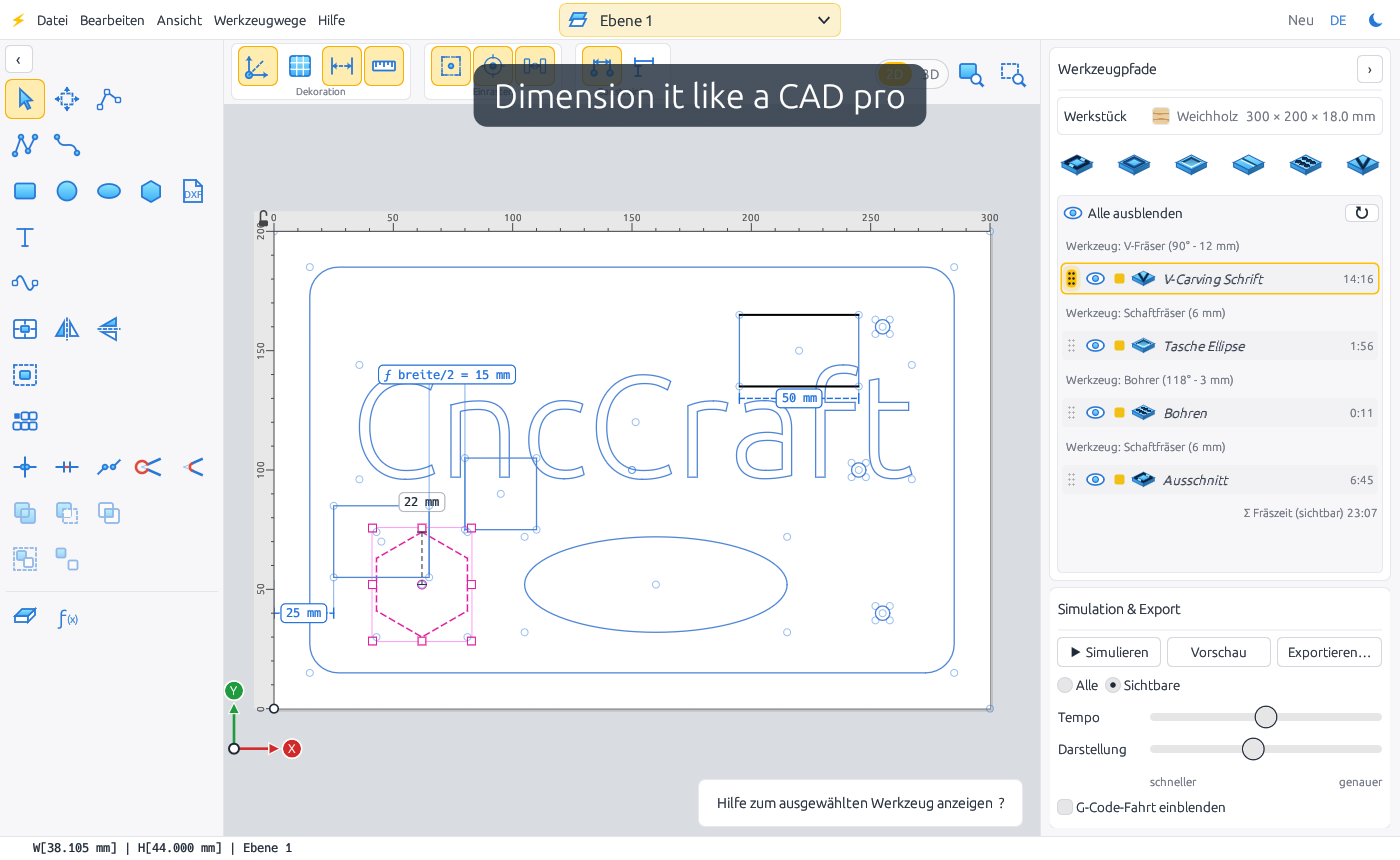
Dimension distances New in CncCraft
A distance constraint keeps two things a fixed distance apart – even when you move one or change variables.
The Distance button in the “Constraints” group (key D) turns on the dimensioning mode.
How to do it
- Press D or click Distance.
- Pick the first object: a corner, the centre or a node of a shape, a line – or a corner or edge of the board.
- Pick the second object.
- Move the pointer to where the dimension should sit and click. Beside the points it measures level or upright, in between straight.
- Type the distance – a number, a formula or a variable – and press Enter.
Esc takes back the last pick; another Esc ends the mode.
What can be measured
- Point and point: level, upright or straight distance.
- Point and line: the perpendicular distance.
- A single line: its length – then click in the drawing to place the dimension.
- Two lines cannot be dimensioned (“Two lines cannot be dimensioned: pick a point”).
Which one moves?
The shape of the object picked first is the reference and stays put; the second shape moves until the distance is right. The board is always the reference. On one and the same shape only opposite corners are selectable (that is then width or height; the shape grows from the lower left).
Editing and deleting dimensions
- Change the value: hold the value in the drawing (about half a second), then type.
- Move the dimension line: drag the dimension. The place is saved with it.
- Delete: right-click the value, or click it briefly and press Del.
Bound dimensions appear blue, formulas as “ƒ formula = value mm”. The Show dimensions switch in the header shows or hides them; the mode always shows them. A shape that holds a dimension springs back to its place when dragged.
Constraints are saved in the project and copied with the shape when all shapes involved are copied along. If a shape is deleted, its constraints fall away.